Icon of program: DiskMax

DiskMax for Windows

  • Free
  • 3.8
    44
  • 21.6K
  • V7.33
Free Download for Windows

View an ad to download for free

Optimize Your Disk Space with DiskMax

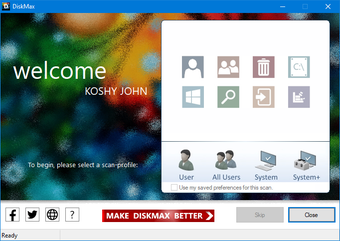
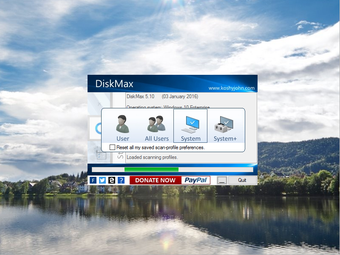
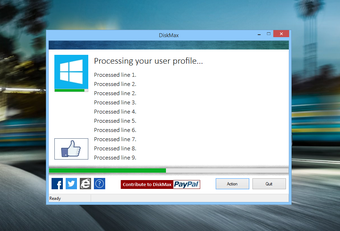
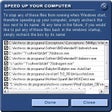
DiskMax is a free utility program for Windows designed to help users optimize their disk space effectively. This application focuses on cleaning up unnecessary files and system clutter, allowing for improved performance and more available storage. DiskMax offers a user-friendly interface that simplifies the process of disk cleanup, making it accessible for both novice and experienced users alike.

Top Recommended Alternative

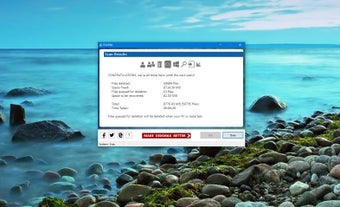
The program features various cleaning options, including the ability to remove temporary files, system caches, and other space-consuming items. Users can customize the cleaning process to target specific file types or areas of their system, ensuring a tailored experience. Overall, DiskMax serves as a practical tool for maintaining system efficiency and maximizing disk space.
 0/6

App specs

Also available in other platforms

Program available in other languages


Icon of program: DiskMax

DiskMax for PC

  • Free
  • 3.8
    44
  • 21.6K
  • V7.33
Free Download for PC

View an ad to download for free


User reviews about DiskMax

3.8

1 reviews

Add review

Main reviews for you

  • Anonymous user

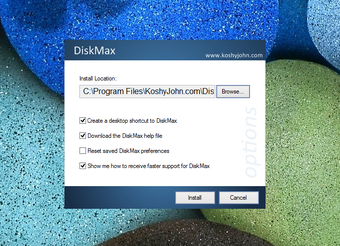
    Very Powerful Free Disk Cleaner. DiskMax is a very powerful free disk cleaner. It's pretty fast and does an amazing job. It is the only free disk cleaner that I've used that actually restores hidden windows updates. It's also so powerful it can actually remove all bookmarks, something else you don't usually see in a free disk cleaner. You will be amazed at how much space it cleans and how quick your computer will become. I have been looking for a great powerful disk cleaner ever since Dustbuster was discontinued. Looks like I finally found it.The downside to DiskMax is the fact it doesn't install in the programs files folder instead it installs in the AppData folder [look for KoshyJohn.com]. So you have to unhide hidden folders to access it to uninstall it or change it's settings. Another downside is the fact you can't change settings within the program itself and instead need to go into the install folder then go into the data folder, click on the options.ini and change the settings from within there. 1 enables options while 0 disables options then after your done you need to save it.Overall I recommend this to anyone who wants to save space as it truly does clean your computer and make it faster. If your a novice READ EVERY OPTION BEFORE CLICK "YES" OR "NO" during initial run. I myself would make sure to click "no" on deletion of bookmarks (Firefox it's the history option). And also click "no" for defragging and prefetch optimization which I would instead entrust to your current defragger of choice. Pros: Very PowerfulSaves A Lot Of Disk SpaceMakes Computer Run Smoother Cons: Difficult To Configure After Initial RunHave To Unhide Hidden Folders To Uninstall Or Change Options

More

You may also like

Alternatives to DiskMax

Explore Apps

Latest articles

Laws concerning the use of this software vary from country to country. We do not encourage or condone the use of this program if it is in violation of these laws.
Softonic

Is DiskMax safe?

100/100

Score result: Clean

This file passed a comprehensive security scan using VirusTotal technology. It is safe to download.

  • Virus free
  • Spyware free
  • Malware free
  • Verified by Security Partners

    VirusTotal logo

Scan Info

Last scan
Tuesday, July 14, 2026
Scan provider
VirusTotal · Full report

File Integrity

File
DiskMax_V7.33.exe
SHA256
3b7e1c4b06bb437f832d8799cd014ad565c05fe70fd294160a135e5ecb1b3024
SHA1
5bfc626c068dcca8608acb3aaba8cf282e358870

Softonic security commitment

DiskMax has been thoroughly scanned by our advanced security systems and verified by industry-leading partners. This file comes from the official developer and has passed all our security checks, showing no signs of viruses, malware, or spyware. For more information, visit our Security and Trust Center

Signed in to Softonic as